Reliability Data Databases (EPRD / NPRD)
Besides computing a failure rate from a prediction standard, Robin gives access to two field data databases published by Quanterion Solutions. Instead of deriving the failure rate from the construction and the operating conditions of the part, these databases provide failure rates observed in service for a large collection of real parts.
They are useful when the part cannot be modelled with a standard, or to contrast the result of a prediction against field experience.
Two tabs are available inside the RPA module:
RPA > Electronic Data (EPRD-2014): The Electronic Parts Reliability Data database.RPA > Mechanical Data (NPRD-2016): The Non-electronic Parts Reliability Data database.
Note
These two tabs are only visible for the teams whose subscription includes access to the Quanterion databases. If the option is not part of the subscription, the tabs are not displayed.
Searching the database
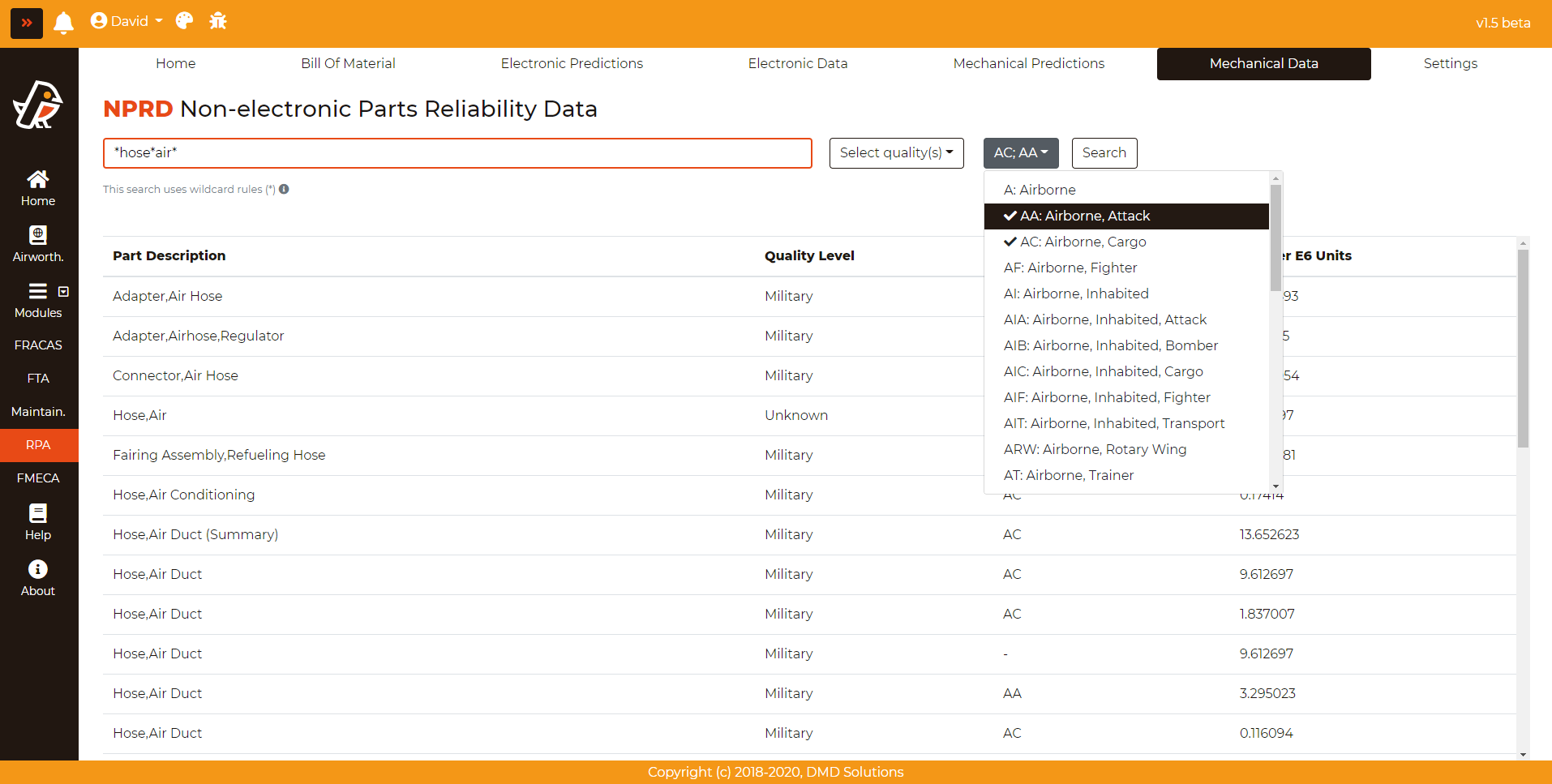
The search is performed by part description, and it can be narrowed down with two multiple-selection dropdowns:
Select quality(s): Filters by the quality level of the parts.
Select environment(s): Filters by the environment in which the data was collected.
Click Search to run the query.
The description field accepts the wildcard character *, which allows searching for parts whose exact description is not known:
Search |
Result |
|---|---|
|
Finds electric, but not selector |
|
Finds defogger, but not refrigerator |
|
Finds sprint, pressure, … |
|
Finds battery, Lithium |
|
Finds Adapter, but not AC Adapter |
Note
Without any wildcard, the search looks for the exact description. Any combination of the examples above is also possible.
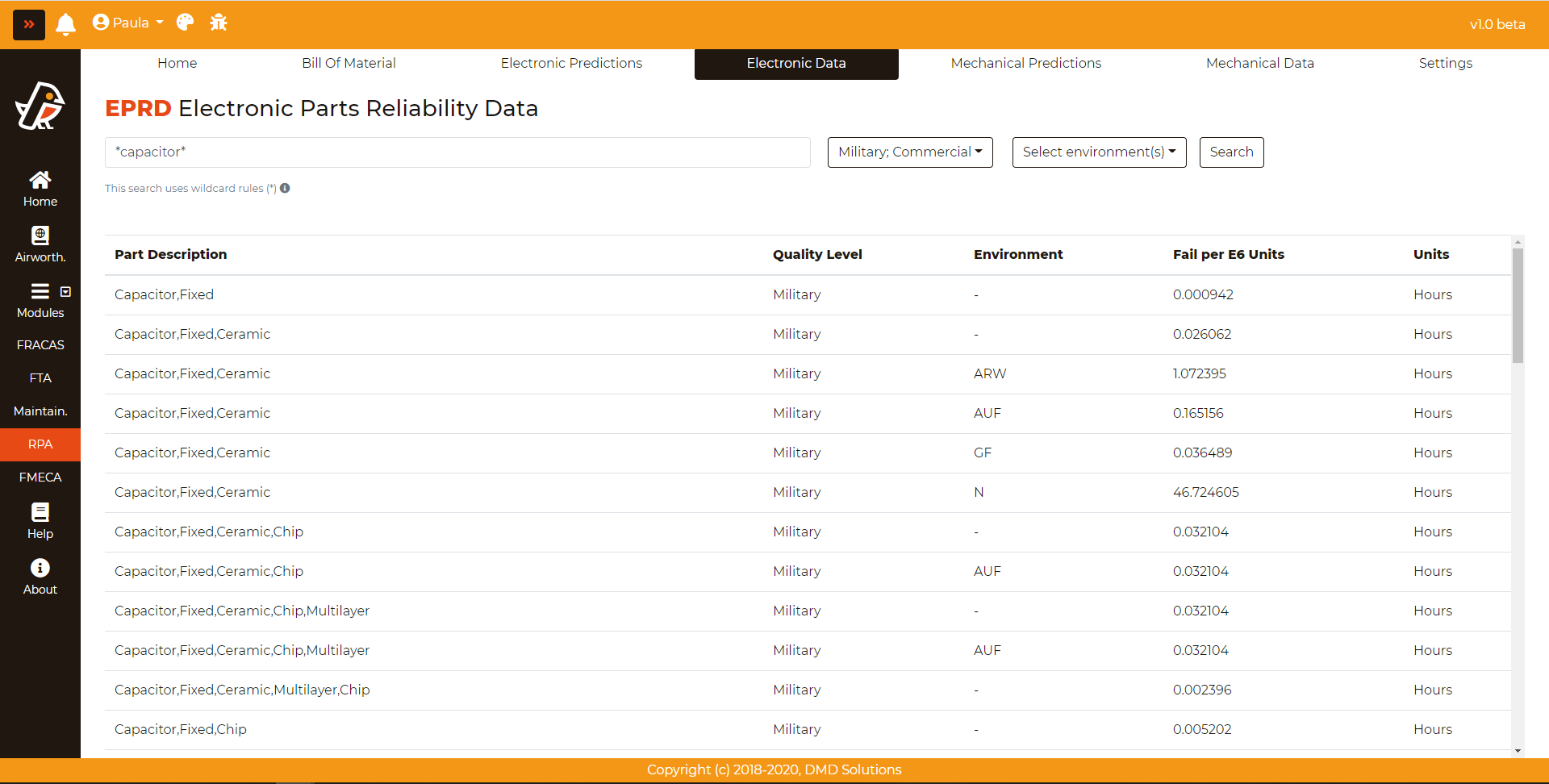
Results
The result of the search is a table with one row per entry of the database. The information provided is:
Part Description: The description of the part as recorded in the database
Quality Level: The quality level of the part
Environment: The environment in which the data was collected
Source: The origin of the data
Failure rate fails per E6 units and Failure rate units: The observed failure rate and the units it refers to
Total Failed and Op. Hours: The number of failures recorded and the accumulated operating hours behind the value, which give an idea of how much evidence supports the figure
The NPRD-2016 table additionally provides the Confidence Level of the entry.
Note
The information icon next to the Search button downloads the introduction publication of the corresponding database, developed by Quanterion Solutions, which explains the meaning of the fields and how the data was gathered.
Assigning a failure rate to a BOM item
These databases can be used as the source of the failure rate of a BOM item, in the same way as the prediction standards.
When the page is opened from the BOM, through the Calculate failure rate action of an item, a message at the top indicates which part the entry is being selected for, and an additional column with a selectable icon appears in the results table. Clicking it assigns that entry to the item.
After the selection, the Return to BOM button brings the user back to the Bill Of Material, where the Standard column of the item shows EPRD 2014 or NPRD 2016 depending on the database used.
Note
An item whose failure rate comes from one of these databases has no calculation parameters, since the value is taken from field data and not computed from a model. See the BOM: Bill Of Material section.